 EN
EN

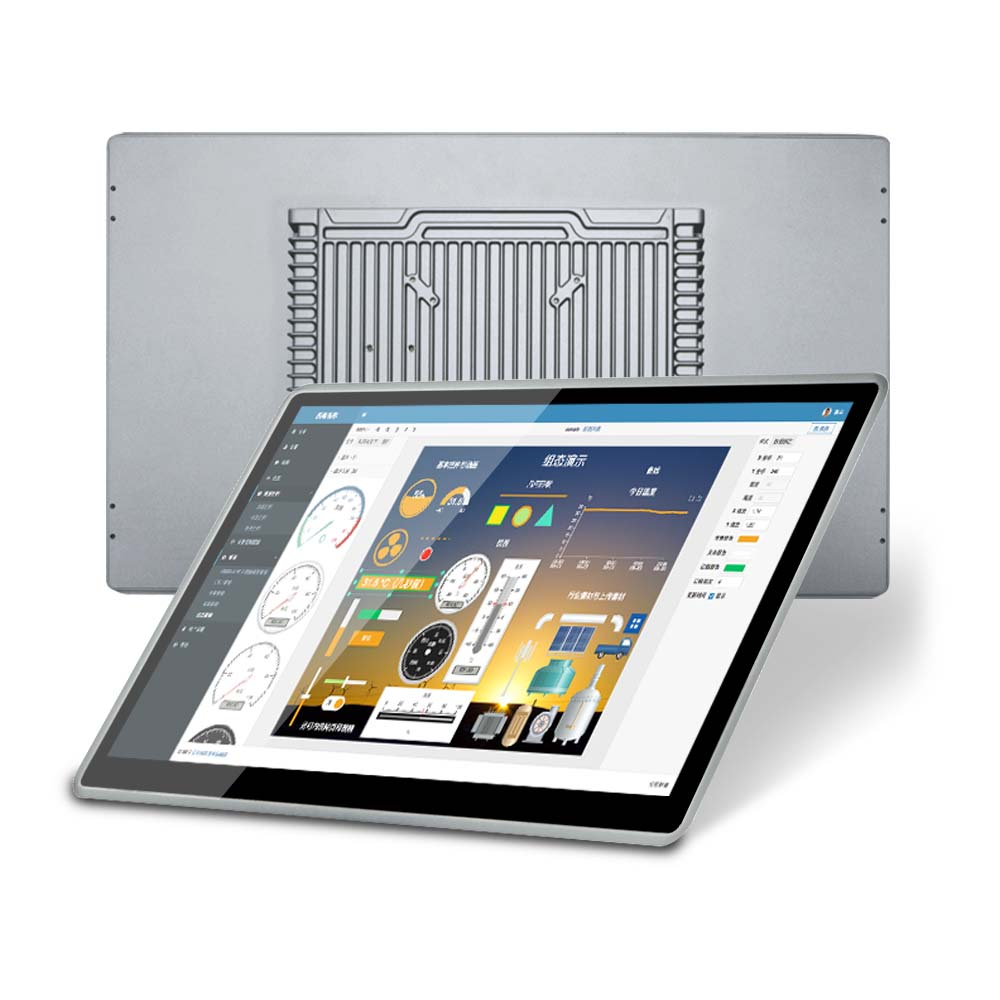
Match Panel PC Design to Your Kiosk Environment and Use Case
Open-Frame, Stainless Steel, and Multi-Touch Panel PC Variants for Retail, Hospitality, and Public-Sector Deployments
How panel PCs are built makes all the difference when it comes to how long kiosks last and what they can actually do. Open frame models fit right into custom made cases, which works great where space is tight at retail checkout points. For places like restaurants or hospitals, stainless steel construction stands up better to corrosion over time. And those 10 point touch screens? They let people interact naturally in busy areas such as hotel front desks where guests need quick access. Government installations typically demand tougher hardware too, looking for vandal proof options with proper IP65 ratings to keep out dust and moisture. These industrial grade systems aren't your average consumer gadgets. They're designed to handle serious wear and tear, maintaining performance through hundreds of thousands of touches according to industry standards for human machine interfaces.
Why 'General-Purpose' Panel PCs Fail Under High-Traffic, Unattended Kiosk Workloads
Most off-the-shelf panel computers simply aren't built to handle non-stop operation without supervision. According to industry reliability studies, dust buildup inside cooling fans accounts for around two thirds of all failures after just 18 months in service. The standard touchscreens tend to wear out pretty quickly when used constantly, while poor heat management often forces systems to slow down during busy periods. For public kiosks that need to run day after day, manufacturers recommend fanless designs, components rated for extreme temperatures from minus 20 degrees Celsius up to 60 degrees, plus storage drives mounted with shock absorption to survive vibrations. Regular consumer grade units just can't cut it for those 18 hour days we see in transportation hubs or retail checkouts, which ends up costing three times as much in repairs and replacements over time compared to properly industrialized alternatives.
Optimize Touchscreen and Display Performance for Public Interaction
Capacitive vs. Resistive vs. Infrared Touch: Balancing Glove Use, Durability, and Sunlight Readability
The way we interact with touch technology really affects both how people use devices day to day and how long those devices last before needing replacement. Capacitive screens are great for quick responses and letting users tap multiple points at once, though they work best when someone touches them directly with their fingers or wears special gloves designed for this purpose. Resistive panels have their own advantages since pretty much anything can press on them from styluses to regular gloves, but these screens tend to get worn down faster and show scratches more easily over time. Infrared touch systems stand out because they hold up better overall, remain readable even under bright sunlight conditions, and function well whether touched by bare skin or gloved hands. Public kiosks that see lots of action benefit particularly from infrared options or toughened versions of capacitive displays which cut down on repair expenses by around forty percent compared to basic resistive alternatives according to recent industry reports from 2024. When installing any touchscreen equipment outdoors or in areas prone to messiness, going for an IP65 rating makes sense as protection against accidental spills and dirt buildup remains essential for keeping operations running smoothly.
Brightness (1000 nits), Anti-Glare Coatings, and Screen Size Selection for Indoor, Outdoor, and Semi-Outdoor Kiosks
Clear display visibility plays a critical role in completing transactions successfully. For outdoor kiosks, getting at least 1000 nits of brightness plus anti-reflective coatings makes all the difference. According to research from the Digital Engagement Institute in 2023, around 78% of people give up on transactions if they can't read what's on screen. When it comes to semi-outdoor spots like those covered transit stops, we're looking at around 500 to 700 nits instead. Screen size matters too depending on where people will be standing. Retail checkout areas typically work best with 15 to 22 inch displays since customers are right there. But for wayfinding signs that people might view from across a room, going bigger with 32 to 55 inches becomes necessary. Larger displays also tend to perform better when manufacturers add optical bonding technology. This process removes air gaps between layers, which helps boost image contrast, keeps moisture out, and generally makes the whole thing last longer in tough environments.
Ensure Environmental Resilience and Seamless Physical Integration
Fanless Operation, IP65 Rating, and Wide-Temperature Support (20°C to 60°C) for 24/7 Public-Facing Reliability
The reliability of those public kiosks we see everywhere really depends on how well they handle different environmental conditions. Getting rid of fans helps prevent breakdowns since fans are common trouble spots, plus they stop dust from getting inside which is super important in busy places where people constantly touch them. Units with IP65 ratings basically seal out all dust particles and can withstand light water sprays, making them perfect for outside installations or areas that need frequent cleaning. Most modern kiosks also work across a broad temperature range so they stay functional whether it's freezing cold or sweltering hot outside. According to industry reports, machines without these protective features tend to break down about 37 percent more often when deployed in tough environments.
VESA, Wall, and Panel Mounting Options Integrating Your Panel PC into Custom Enclosures and Kiosk Cabinets
Mounting solutions that adapt well work great when fitting different types of kiosks together without mess. The VESA standard makes it easy to snap onto regular brackets while wall mounts and panel options let people build custom cabinets exactly how they want them. Getting things lined up right when putting everything together is super important because if stuff isn't aligned properly, it puts stress on all those little parts inside and connectors. Some studies say about 42% of hardware problems happen early on just from being misaligned, though I've heard some folks dispute that number. Even when there are no fans involved, making sure there's enough space for air to move around inside matters a lot. Good mounting practices actually save time later too. Tech support teams report saving roughly 30% of their maintenance hours in places where systems need to stay online almost constantly.
Validate Performance, Security, and Peripheral Compatibility for Mission-Critical Kiosks
CPU Tiering, Multitasking Stability, and Real-Time Response Requirements for Interactive Kiosk Software
Choosing the right CPU depends heavily on what kind of work it needs to handle. For demanding applications that require smooth performance under pressure, Intel Core i5/i7 models or AMD Ryzen processors are usually the best bet. These can handle complex operations such as wayfinding systems with live maps, processing payments, and rendering multimedia content without any noticeable lag. On the flip side, basic functions like printing tickets or checking inventory lists often work fine with cheaper Celeron class processors. Speed matters a lot here too. Research shows most people give up on kiosks if they wait longer than two seconds for a response according to Baymard Institute data from last year. Before rolling out new hardware, it makes sense to run stress tests simulating maximum load conditions to make sure everything stays stable when things get busy in real life situations.
TPM 2.0, Secure Boot, and OS Support for Payment and PII-Sensitive Kiosk Applications
For kiosks dealing with payments or personal info, hardware-based security just can't be ignored anymore. The TPM 2.0 module works by locking down cardholder data throughout the entire transaction process. Then there's Secure Boot which stops anyone from messing with the firmware or operating system without permission. When combined with operating systems that meet PCI DSS standards like Windows IoT or Android GMS, businesses get real protection against threats. Why? Because according to the Verizon Data Breach Investigations Report from 2024, almost 92% of all payment kiosk breaches happen because operating systems weren't properly updated. Also important is checking whether encrypted card readers, biometric scanners and other devices work natively through USB-C or RS-232 connections. Systems that rely on drivers instead tend to create bigger security holes. And let's not forget the financial impact either. A study by Ponemon Institute in 2023 found that such driver-dependent configurations typically cost companies around $740,000 when breaches occur.
FAQ
What is the importance of choosing the right panel PC for kiosks?
The right panel PC design ensures durability, functionality, and user experience tailored to the specific environment, from retail and hospitality to public-sector deployments. Choosing appropriate materials and touchscreens enhances longevity and performance.
How do specialized kiosks handle harsh environmental conditions?
Kiosks built with fanless operation, an IP65 rating, and wide-temperature support are designed for 24/7 reliability. These features protect against dust, water spray, and extreme temperatures, reducing breakdowns in demanding environments.
What factors are critical for touchscreen performance in public kiosks?
Important factors include the choice between capacitive, resistive, and infrared touch technologies, as well as brightness, anti-glare coatings, and display size. These considerations impact usability, durability, and readability in different settings.
Why is security a major concern for kiosks handling payments?
Security is crucial for safeguarding payment information and personal data. Hardware features like TPM 2.0, Secure Boot, and PCI DSS-compliant operating systems provide essential protection and help prevent breaches that can be costly for businesses.