 EN
EN

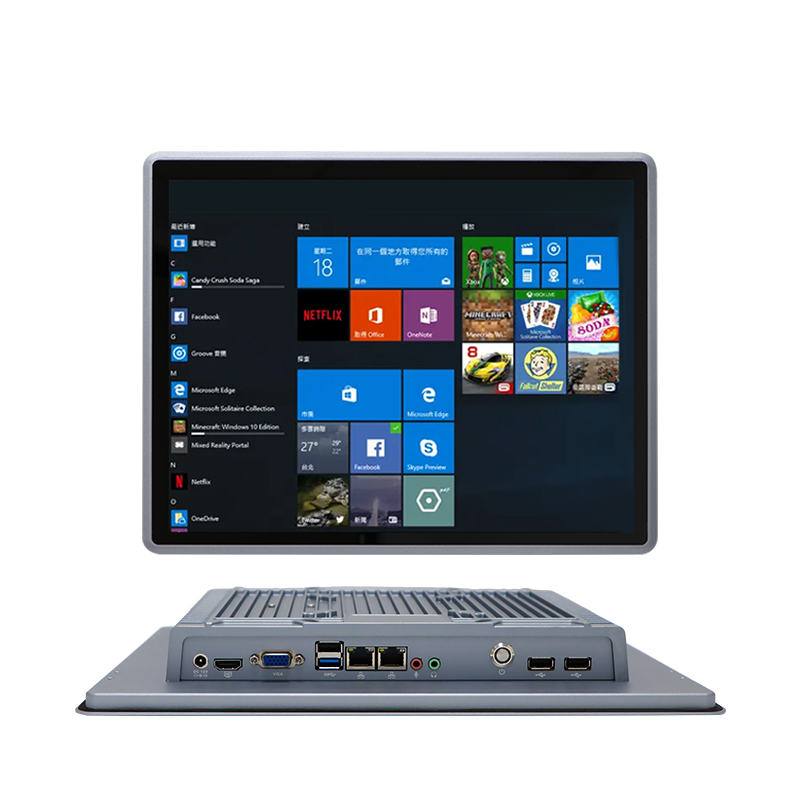
Adopt a Systematic Industrial Computer Troubleshooting Framework
Industrial computer failures in manufacturing environments cause costly unplanned downtime, averaging $740k per incident (Ponemon Institute 2023). Implementing a structured diagnostic approach minimizes operational disruption by replacing reactive guesswork with targeted solutions.
Step 1: Document and Categorize Observed Symptoms
Begin by creating timestamped logs detailing:
- Specific error codes or alarm patterns
- Environmental conditions (temperature fluctuations, humidity spikes)
- Operator-reported anomalies preceding failure
- Recent maintenance or configuration changes
Categorize symptoms into hardware (e.g., unexpected shutdowns), software (application crashes), or environmental (electromagnetic interference/EMI) groups. This classification enables efficient resource allocation—thermal issues demand different expertise than network latency problems.
Step 2: Apply the Hardware–Software–Environment Triage Model
Isolate failure domains using this elimination protocol:
- Hardware Verification: Check power supply stability with multimeter readings, inspect capacitors for bulging, and test RAM modules individually
- Software Validation: Boot from clean OS image, validate driver versions against hardware compatibility matrices, review system logs for corruption errors
- Environmental Assessment: Measure ambient temperature at the enclosure intake, scan for EMI sources using spectrum analyzers, verify grounding continuity
This sequential triage prevents misdiagnosis—a communication drop attributed to network issues might actually stem from vibration-loosened connectors. Systematically eliminating variables reduces mean-time-to-repair by 65% compared to ad hoc approaches.
Diagnose Critical Hardware Failures in Industrial Computer Systems
Overheating Due to Dust, Vibration, and Enclosure Limitations
Computers used in industrial manufacturing settings often run into serious overheating problems because of all the dust and particles floating around. When dust builds up inside these machines, it can cut down on heat dissipation by roughly 40% for systems that rely on fans for cooling, which means components tend to fail much sooner than expected. The constant vibrations from machinery also make things worse by shaking loose heat sinks and forming tiny gaps between thermal interfaces where heat transfer gets disrupted. What makes matters even trickier is the limited space inside enclosures that blocks proper airflow, leading to internal temps going above 85 degrees Celsius in most failure situations we've seen so far. To deal with these issues effectively, manufacturers need to consider several approaches including better sealing options and improved ventilation designs.
- Quarterly compressed-air cleaning of vents and heat sinks
- Vibration-dampening mounts for shock-prone locations
- Thermal validation during enclosure selection
Power Supply Instability and Component Degradation in Harsh Conditions
Voltage fluctuations in industrial settings degrade power supplies three times faster than in office environments. Capacitor aging from temperature swings causes 52% of power-related failures, while moisture ingress triggers electrochemical migration on circuit boards. Critical signs include:
- Intermittent reboots during motor startup
- Voltage sag below 90V during peak loads
- Corrosion on I/O connectors
Implement dual-stage power filtration and conformal coating on PCBs to extend hardware lifespan. Regular infrared scans detect hot spots before catastrophic failure.
Identify and Resolve Software and Firmware Issues in Industrial Computer
Firmware Bugs, OS Corruption, and Driver Incompatibility
Around 40% of unexpected stoppages in manufacturing operations can be traced back to software and firmware issues according to Automation World's 2023 report. When it comes to firmware problems, old code or memory leaks are usually to blame, which leads to all sorts of strange behaviors in production systems. To keep things running smoothly, manufacturers should schedule regular firmware updates after testing them thoroughly in separate environments first. Operating system corruption often happens because of sudden power outages or malicious software attacks. A good defense strategy includes setting up write protected storage areas and taking daily snapshots of the entire system so recovery is fast when needed. Driver conflicts tend to pop up when hardware isn't properly synced with operating system updates, resulting in failed peripherals. Best practice here is to get drivers straight from the manufacturer websites and double check compatibility before rolling out any changes across the factory floor. Plants that stick to routine diagnostics and maintain solid backup procedures see roughly 72% less downtime than those waiting until something breaks down Control Engineering found in their 2022 study.
Mitigate Connectivity and Environmental Stressors Affecting Industrial Computer Reliability
Network Latency, EMI-Induced Communication Drops, and Grounding Failures
Computer systems face serious challenges in industrial environments due to electromagnetic interference, unstable networks, and poor grounding practices. Big machines create EMI fields that mess with data signals, and studies show this accounts for around 40% of unexpected communication problems in factories. Temperature swings plus chemical exposure really take their toll on connectors and wiring too, making network response times lag by anywhere from 15 to 30 milliseconds during important processes. About one out of every five installations has grounding issues that lead to voltage differences, which can ruin data transfers and even damage hardware components. To combat all this, facility managers need several approaches working together. Shielded cables help block EMI, climate controlled boxes keep things cool, and having backup routes for key connections is essential. Testing grounding systems regularly cuts down on electrical noise problems by about two thirds. Using industrial strength connectors rated IP67 stops water damage from corroding equipment. Putting these measures in place makes all the difference when downtime costs manufacturers roughly $86,000 per hour lost productivity.
FAQ
-
What is the cost implication of industrial computer failures?
Industrial computer failures in manufacturing environments average $740,000 per incident due to unplanned downtime.
-
How can overheating issues in industrial computers be managed?
Overheating can be managed by quarterly compressed-air cleaning, using vibration-dampening mounts, and ensuring proper thermal validation during enclosure selection.
-
What causes software and firmware issues in industrial systems?
Software and firmware issues are often caused by outdated code, memory leaks, sudden power outages, and driver incompatibility.
-
What strategies can mitigate connectivity issues in industrial computers?
Mitigation strategies include using shielded cables, climate-controlled boxes, backup routes, and regular grounding system testing.