 EN

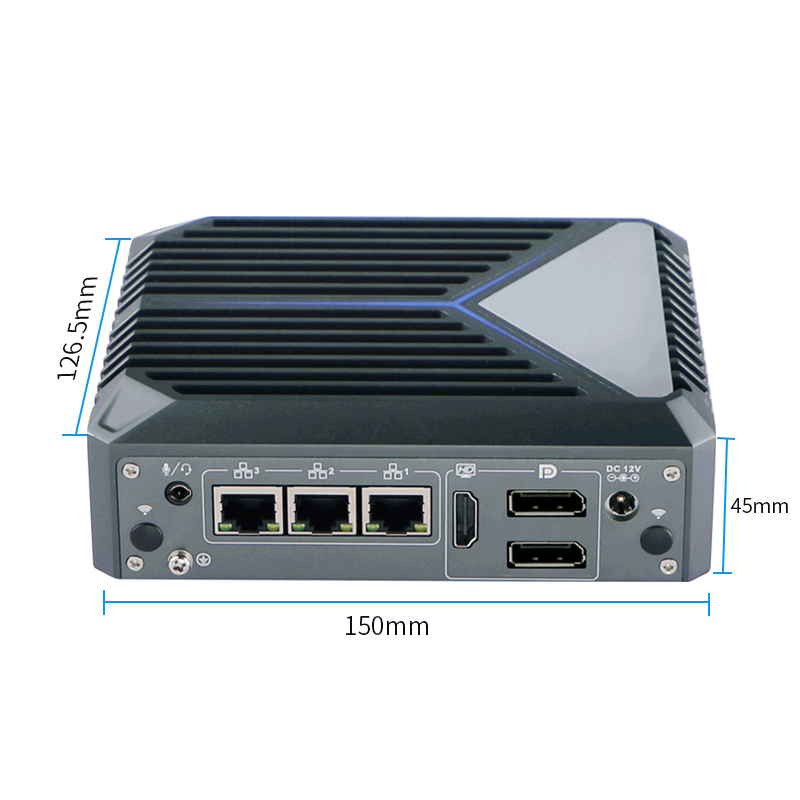
A rugged mini PC is not a desktop stuffed into a smaller case. In a plant, harsh covers several failure paths at once: abrasive dust that packs into fan blades, vibration that loosens connectors, washdown spray that finds every unsealed seam, and temperature swings that push cheap capacitors outside their rating. A sealed enclosure and a fanless design solve some of that. They do not solve all of it. The useful question is which stresses the installation actually creates, then whether the hardware is specified for those stresses. IP ratings help. IEC 60529 defines IP65 as dust tight and protected against water jets, while IP67 adds temporary immersion. Neither rating says anything about vibration or thermal cycling, so a high IP number alone is not a rugged credential.
What Separates a Rugged Mini PC From a Desktop in a Metal Box
The differences show up in component choice and layout. Industrial mini PCs usually run wide input voltage, often 9 V to 36 V DC, so a 24 V control bus does not need a separate adapter. They use solid state storage, locking connectors, and a board layout that avoids cantilevered parts. Fanless mini computers remove the filter and the bearing, which is a real gain in dusty air. The chassis becomes the heat sink, so the thermal budget is set by surface area and mounting. A unit bolted to a steel panel can shed heat into that panel; a unit hanging in still air cannot.
| Criterion | Consumer mini PC | Industrial mini PC | Fanless embedded mini PC |
|---|---|---|---|
| Power input | Single adapter, 19 V typical | 9 V to 36 V DC common | 9 V to 36 V DC, wide range |
| Cooling | Active fan, filter | Fan or passive | Passive only |
| Ingress protection | None to IP20 | IP40 to IP65 depending on model | Sealed chassis, IP65 front or full seal |
| Operating temperature | 0 to 35 C | -20 to 60 C common | -20 to 70 C on selected designs |
| Vibration resistance | Limited | Locking I/O, shock mounting | No moving parts, panel mount |
| Expansion | Limited | Mini PCIe, M.2 | M.2 or none |
| Best fit | Office or clean cabinet | Enclosed control room | Dust, washdown, remote cabinet |
The table is not a ranking. It is a map of where each form factor stops being honest. A consumer box with a fan will fail in a dusty room, but an industrial mini PC with the wrong temperature rating will fail in a cold outdoor cabinet just as fast.
Thermal and Power Choices That Decide Field Life
Heat is the quiet killer. Every 10 C rise above a component's rated temperature roughly halves electrolytic capacitor life, which is why wide temperature range claims deserve a look at the actual test conditions. A unit rated to 60 C may only hold that number with a specific mounting orientation and airflow. Power design matters too. A wide voltage input with surge and reverse polarity protection keeps a single 24 V fault from taking out the node. Ignition and brownout behavior should be documented, not assumed. In a plant with large motors starting nearby, a mini computer without isolation on its serial or Ethernet ports can lock up for reasons that look like software bugs.
A Concrete Block Plant Where the Fan Was the Weak Point
A concrete block plant offers a clear case. The batching control room sat next to the mixer, and fine cement dust drifted through the door. A commercial mini PC running a local display and data logger had its fan clog within eight weeks. The unit overheated and rebooted during a pour, which forced the operator to re-enter batch data by hand. The replacement was a fanless mini computer with a sealed chassis, mounted on the back of the HMI panel. The dust no longer had a path into the electronics. The retrofit also showed the limits. The new node had no room for a frame grabber used by a pallet inspection camera, so that function stayed in a cabinet box PC. The plant also added a vibration isolation pad because the panel sat close to the mixer. The fanless unit worked because the thermal and expansion limits were mapped before the hardware was ordered, not after the first reboot.
Mounting, I/O, and Service Access in Tight Spaces
A mini PC earns its keep only if it can be serviced. A sealed enclosure is a problem if the only way to reach the storage is to remove the whole panel. Look for front-accessible slots, clearly labeled ports, and a mounting pattern that matches the existing bracket. In a washdown zone, cable glands and connector seals matter as much as the chassis rating. A sealed enclosure with an unsealed USB port is still an open door. Remote management is another practical need. A node in a remote pump house may need a watchdog, scheduled reboot, and out of band access. Those features are not glamorous, but they cut the number of site visits caused by a frozen process.
Where Rugged Mini PCs Stop Making Sense
A sealed fanless box is the wrong tool when the workload needs a GPU, a high power processor, or several expansion cards. Those jobs belong in a cabinet with active cooling and service access. A rugged mini PC is also a poor fit when the environment is clean and controlled, because the premium buys protection that is not needed. The honest selection rule is to list the real stresses first: dust, water, vibration, temperature, electrical noise, and service access. Then match the enclosure and thermal design to that list. Shenzhen Xin Saike Technology builds industrial mini PCs, fanless computers, and embedded boards, with manufacturing and supply chain support that helps keep a specified configuration consistent across builds.