 EN

What Actually Counts as an Embedded Panel PC
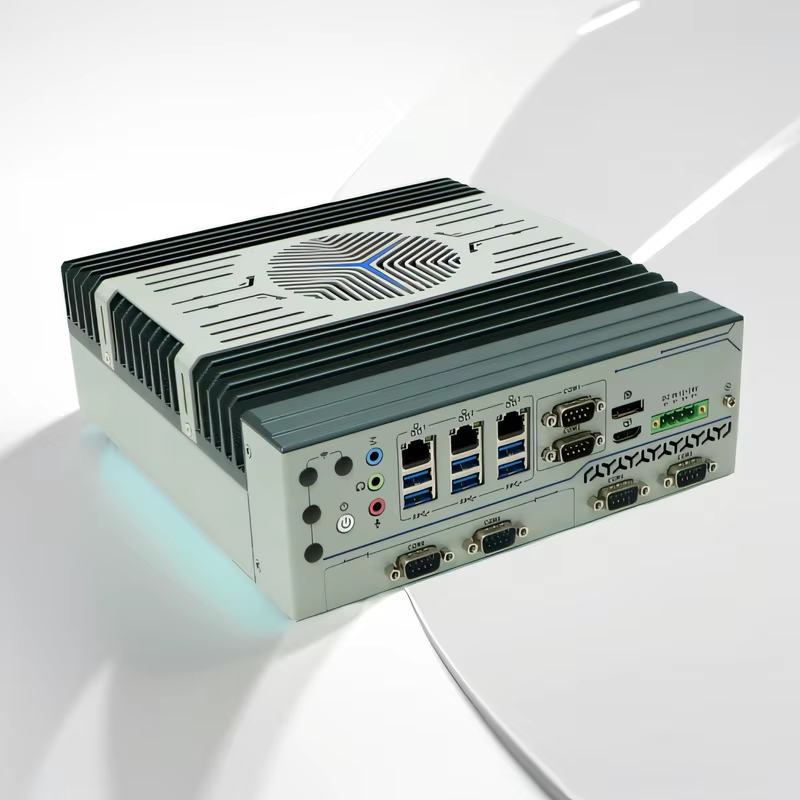
An embedded panel PC is not just a monitor with a computer bolted to the back. It is a single sealed unit where the processor board, the LCD, the touch sensor, and the I/O live inside one housing that drops straight into a cutout on a machine or control cabinet. The rear chassis often doubles as the heat sink. No fan, no vent slots, no filter pads waiting to clog.
That definition matters because the term gets stretched. Some vendors label any all-in-one touch computer as “embedded” even when it has a fan and a plastic back. A real embedded panel PC is built around component longevity and a fixed bill of materials, not around whatever CPU is cheapest this quarter. The distinction sounds academic until a validated production line needs to be replicated in a second plant two years later and the original unit is discontinued.
Where the Sealed, Single-Body Design Pulls Ahead
The obvious win is parts count. One panel-mounted unit replaces an HMI terminal, a box PC, and a separate monitor. That means fewer cables, fewer power supplies, and fewer connectors exposed to vibration or washdown. In a packaging area where stainless steel gets hosed down at the end of every shift, eliminating two cable glands and a DIN-rail power brick is not a cosmetic improvement. It removes two potential leak paths.
The second advantage is front-panel ingress protection. A properly built embedded panel PC usually carries an IP65 rating on the face, which under IEC 60529 means dust-tight and protected against low-pressure water jets from a 6.3 mm nozzle at up to 12.5 liters per minute. That is the rating that lets the same hardware sit on a food and beverage line, an outdoor kiosk, or a CNC cell without a secondary enclosure.
The third is thermal behavior in dirty air. Fans move air, and moving air carries dust into heat sinks and across bearings. A fanless chassis sheds heat through its surface instead. Field data from fanless industrial systems points to mean time between failures above 50,000 hours and, in some designs, beyond 100,000 hours, largely because the fan, one of the most common failure points on a conventional PC, is gone. Over a seven-to-ten-year service life, that translates to roughly two to three times fewer failure events in dusty settings.
The Thermal Ceiling Nobody Wants to Admit
Here is the part the brochure leaves out. Sealed and fanless are the same decision, and passive cooling has a hard physical limit. The chassis surface area sets how much heat can leave the box. Most stable fanless panel PCs run low-power processors in the 15 W to 25 W thermal design power range, not the 65 W desktop chips that show up in a box PC with active airflow.
That does not make embedded panel PCs slow. It makes them purpose-built. A panel PC driving an HMI screen, buffering OPC UA or Modbus data, and running a local SCADA client does not need a high-TDP part. But if the same station is expected to run a vision model on four camera streams or handle a local database with heavy write loads, the thermal envelope becomes the bottleneck long before the CPU does.
I/O and Expansion: Fixed at the Factory
An embedded panel PC is designed as a finished appliance, and that is both its strength and its limitation. The serial ports, Ethernet, USB, and digital I/O are chosen when the unit is specified. Adding a PCIe card later is usually not an option, and changing the screen size means changing the whole computer, because compute and display age together.
For a machine builder standardizing one operator station across a product family, this is fine. The I/O map is known, the panel cutout is fixed, and the hardware stays consistent. For a system integrator whose project scope keeps shifting, or a plant that wants to upgrade the display without touching the processor, a box PC plus a separate industrial monitor keeps more doors open. That arrangement is not as clean at the panel, but it is more forgiving when requirements move.
A Real Installation Where the Trade-Off Showed Up
A chemical blending facility in the middle of a control room retrofit ran into exactly this split. The existing setup was a fan-cooled industrial box PC inside a purged cabinet, feeding a separate 15-inch monitor on the wall. The cabinet fan pulled in fine chemical dust, and the filter had to be changed every three weeks. When the filter was missed, the box PC overheated and the line lost its operator interface.
The replacement was a sealed embedded panel PC mounted directly into the existing panel cutout, with the same 15-inch footprint. The fan and filter disappeared, and the cabinet door stayed closed. But the facility also learned the limit: the panel PC could not accept the PCIe frame-grabber card that had been in the old box PC for a legacy vision inspection step. That function moved to a small industrial box PC in a different cabinet, and the panel PC handled only the HMI and data logging. The project worked because the thermal and expansion trade-offs were mapped before the hardware was ordered, not after.
Matching the Form Factor to the Job
The table below lines up the three common choices against the criteria that actually decide whether a panel installation survives.
| Criterion | Embedded panel PC | Dedicated HMI terminal | Box PC plus separate monitor |
|---|---|---|---|
| Panel footprint | One cutout, one unit | One cutout, one unit | Two mounting points, more cabling |
| Front ingress protection | Typically IP65 sealed front | Varies, often IP65 on face | Depends on monitor; PC needs its own enclosure |
| Cooling | Passive, no fan or filter | Usually passive | Active fan common on box PC |
| Compute ceiling | Low-power CPUs, fixed thermal budget | Limited by vendor runtime | Higher TDP and PCIe expansion possible |
| Expansion after install | Little to none | Closed ecosystem | CPU, GPU, and cards can change independently |
| Screen and compute lifecycle | Age together | Tied to vendor platform | Can be replaced separately |
| Best fit | Machine-side HMI, edge gateway, washdown zones | Single-machine control with no data tasks | Multi-camera vision, heavy analytics, evolving scope |
A dedicated HMI terminal costs less and is simpler, but it stays inside the PLC vendor's runtime and leaves little room for a custom application or a local data buffer. A box PC plus monitor is the most flexible hardware arrangement, yet every extra cable and every extra power supply is another failure point and another thing to seal. The embedded panel PC sits in the middle: more open than a closed HMI, more integrated than a split box-and-screen setup, and physically happiest where dust and washdown rule.
The practical rule is straightforward. If compute and screen live in the same physical spot, and the workload fits inside a 15 W to 25 W thermal budget, the sealed panel PC is the cleanest answer. If the workload needs a GPU, a capture card, or a processor that runs hotter than the chassis can shed, forcing it into a panel PC is how maintenance teams end up with thermal throttling and repeat failures. Pick the form factor that matches the thermal and expansion reality first, then worry about the processor model. Shenzhen Xin Saike Technology has been building industrial panel PCs, embedded fanless systems, and related boards for years, with OEM and ODM support that lets integrators lock an I/O map and panel cutout without over-specifying the compute.