 EN
EN

The Shift Toward Component-Level Control
The conversation around computing hardware has changed noticeably over the past few years. Off-the-shelf desktops and pre-configured workstations no longer dominate the procurement conversations in many engineering and IT departments. Instead, there is a growing interest in barebone systems—partially assembled platforms that leave the selection of CPU, memory, storage, and sometimes even expansion cards to the end user.
Data from industry tracking suggests the global barebone computer kit market was valued at roughly USD 1.8 billion in 2023, with projections pointing toward USD 3.9 billion by 2032—a compound annual growth rate in the vicinity of 9.2%. Those numbers reflect more than just enthusiast demand. Small and medium enterprises, along with larger organizations, are increasingly turning to barebone configurations to meet specific computing requirements without paying for unnecessary pre-installed components.
What makes this approach worth evaluating isn't just the potential cost savings. It's the degree of control it offers over system architecture, component quality, and long-term maintainability. For teams that manage fleets of machines across different deployment environments, that level of control can translate directly into operational advantages.
What a Barebone System Actually Delivers
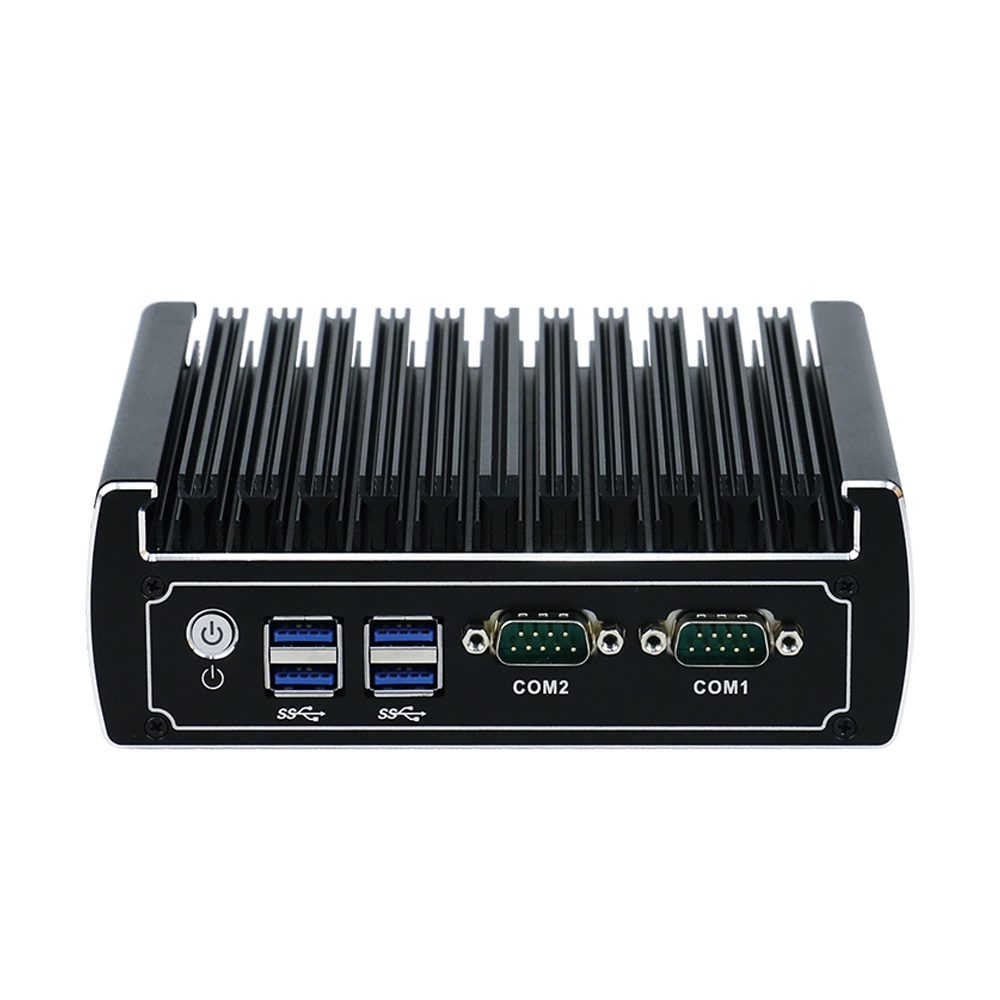
A barebone system typically arrives with the chassis, motherboard, and power supply already assembled and tested. The rest—processor, RAM, storage drives, and any specialized add-in cards—remains for the buyer to source and install. This sits somewhere between buying a fully pre-built machine and sourcing every component individually for a ground-up assembly.
The appeal lies in the flexibility. Need more memory bandwidth for data processing workloads? Upgrade the RAM. Running machine vision applications that benefit from GPU acceleration? Drop in a supported graphics card. Deploying in a space-constrained environment? Choose low-profile modules that fit within the chassis dimensions.
That said, barebone systems aren't a one-size-fits-all answer. The initial purchase price often looks lower than a pre-built equivalent, but the total cost after adding components can end up comparable—or in some cases higher—depending on the choices made. The value proposition isn't always about being cheaper. It's about getting exactly what is needed and nothing that isn't.
Real-World Deployment: A Factory Floor Perspective
A few years back, a mid-sized electronics manufacturer in the southern part of China was retrofitting an aging production line with new vision inspection stations. The original plan called for purchasing fully configured industrial PCs from a single vendor. Quotations came back with fixed specifications—mid-range processors, moderate RAM, and storage that seemed adequate on paper.
The catch? The production line had three distinct types of inspection tasks. One station needed heavy GPU throughput for real-time defect classification. Another required minimal compute but demanded multiple serial ports for legacy equipment integration. A third ran mostly headless, functioning as a data aggregator.
Procuring three different pre-built models from the same vendor would have meant three separate approval workflows, different spare parts inventories, and inconsistent maintenance procedures. Instead, the engineering team opted for a barebone approach—a single chassis and motherboard platform across all three stations, with each unit populated according to its specific role. The GPU-heavy station received a higher-tier processor and a dedicated accelerator card. The serial-focused unit skipped the GPU but added expansion modules for legacy connectivity. The aggregator got modest RAM and a larger SSD for data buffering.
The deployment went live within the expected timeline. More importantly, the common platform meant that spare motherboards and power supplies were interchangeable across all stations. When one unit experienced a power supply failure during a heatwave, a replacement was swapped in from inventory without waiting for vendor-specific parts. That kind of operational resilience doesn't show up in spec sheets, but it matters enormously on the factory floor.
Where Barebone Solutions Shine—and Where They Don't
Not every use case benefits equally from a barebone approach. Understanding the boundaries is as important as recognizing the strengths.
Strengths:
-
Component selection autonomy. The ability to choose specific memory brands, storage models, and processors means the system can be tuned for workload characteristics rather than accepting a vendor's compromise.
-
Inventory simplification. Standardizing on a barebone platform across multiple deployment types reduces the number of distinct SKUs that need to be stocked for spares and replacements.
-
Upgrade path clarity. When performance requirements scale, individual components can be swapped without replacing the entire system—assuming the platform supports the newer generation of processors or memory.
Limitations:
-
Assembly overhead. Someone has to install the CPU, RAM, and storage, plus load the operating system. For large-scale rollouts, this labor cost needs to be factored into the total equation.
-
Compatibility risk. Not every combination of processor, memory module, and storage drive will work seamlessly. Pre-validated barebone configurations—where the vendor has already tested specific component combinations—reduce this risk substantially.
-
Support complexity. Troubleshooting a barebone system requires isolating issues across components sourced from different manufacturers. Pre-built systems offer a single point of contact for hardware problems.
The sweet spot tends to be environments where the deployment scale justifies the upfront engineering effort, or where workload diversity makes a single pre-built specification impractical.
Industry Benchmarks and Performance Expectations
Comparing barebone systems against pre-built alternatives requires looking at more than just price. The following table summarizes typical characteristics observed across common deployment categories:
| Characteristic | Barebone System | Pre-Built Desktop | Fully Custom Build |
|---|---|---|---|
| Component selection control | Moderate to high | Low | Very high |
| Initial assembly effort | Moderate | None | High |
| Upgrade flexibility | Good | Limited | Excellent |
| Vendor support scope | Platform only | Full system | Component-level |
| Typical deployment time | 1–2 hours per unit | Out-of-box ready | 3–6 hours per unit |
| Spare parts standardization | Platform-dependent | Model-specific | Fully modular |
Data from the broader custom PC market indicates a valuation of approximately USD 1.6 billion in 2024, with projections reaching around USD 2.4 billion by 2031. The barebone segment captures a meaningful portion of that growth, particularly in commercial and industrial applications where customization requirements are non-negotiable.
Industry standards such as those outlined in Intel's PIPC program—which establishes hardware specifications, software tuning levels, and reliability verification for industrial computing—provide a framework for evaluating barebone platforms against established benchmarks. Platforms that align with these reference designs tend to offer better compatibility with third-party components and longer operational lifecycles.
Making the Evaluation Practical
Evaluating a barebone system isn't an abstract exercise. It comes down to answering a few straightforward questions about the intended deployment environment.
What does the workload actually demand? If the answer involves sustained GPU compute, high memory bandwidth, or specialized I/O requirements, a barebone platform that supports PCIe expansion and multiple memory channels becomes relevant. If the workload is mostly office productivity or light data entry, the flexibility of a barebone system may be overkill.
What does the support model look like? For teams with in-house technical staff comfortable assembling and troubleshooting hardware, the barebone approach fits naturally. For organizations that rely entirely on vendor support for hardware issues, a pre-built system with a single support contract may be the safer bet.
What does the upgrade cycle look like? If the plan involves refreshing compute capacity every two to three years while reusing chassis and power supplies, barebone platforms offer a clear advantage. If the entire system gets replaced on a fixed schedule regardless of component health, the benefit diminishes.
What about the vendor's validation work? Some barebone providers pre-qualify specific memory modules, storage drives, and processor generations, publishing compatibility lists that remove much of the guesswork. Others leave validation entirely to the buyer. That distinction matters more than the chassis design or port count in most real-world evaluations.
Final Thoughts
The barebone model isn't new, but its relevance has grown as computing workloads have diversified and organizations have become more deliberate about hardware procurement. The ability to tailor a system to specific tasks—without paying for unused components or locking into a vendor's fixed specification—offers a compelling value proposition for many deployment scenarios.
That said, barebone systems aren't a universal replacement for pre-built machines. They require a certain level of technical capability, a willingness to manage component sourcing, and a clear understanding of the trade-offs involved. For teams that have those pieces in place, the approach delivers measurable benefits in flexibility, maintainability, and cost-effectiveness over the system lifecycle.
Companies that specialize in barebone manufacturing and system integration—such as XSKIPC—bring assembly expertise and quality control processes that can bridge the gap between raw platforms and deployment-ready systems. Their experience in component sourcing, compatibility verification, and production-level assembly offers a practical path for organizations looking to adopt barebone solutions without building that capability from scratch.