 EN
EN

Assessing Performance and Hardware Requirements
Processor and Integrated Graphics Needs
When selecting a processor, one needs to figure out what kind of processing power will actually work for their specific applications, especially looking at multicore options when dealing with multitasking requirements. These multicore chips manage several tasks at once, something really important for smooth running in factory settings or other industrial contexts. For systems such as information kiosks or retail terminals, built-in graphics make all the difference since they take up less room and consume far less electricity. Research from the Journal of Industrial Technology shows that these integrated graphics solutions cut down power usage by around 20% versus traditional dedicated graphics hardware. Running benchmark tests across different software applications gives a clearer picture of expected performance levels, including typical CPU load times during operation. Energy efficiency remains an essential factor throughout the selection process too because lower power consumption translates directly into reduced expenses down the road for most businesses.
Touch Panel PC
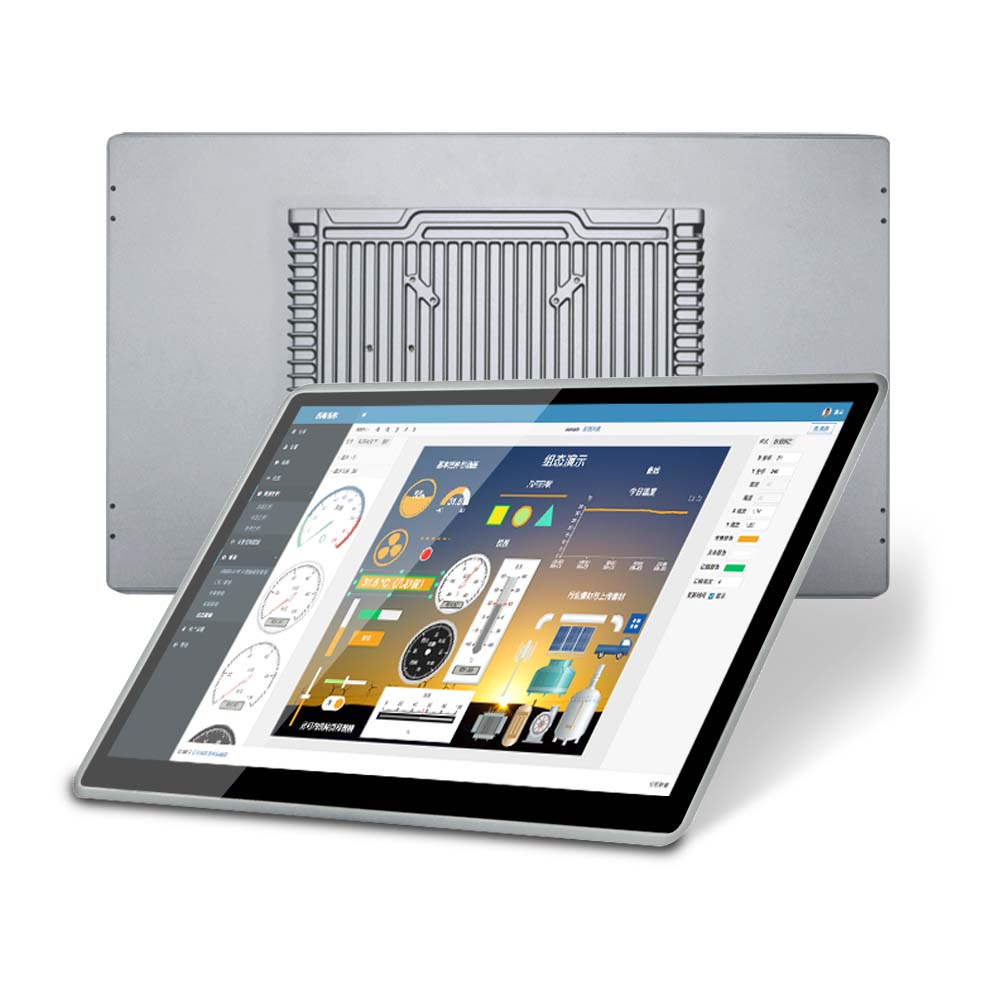
A crucial aspect of kiosk systems is the incorporation of touch panel PCs, as they facilitate user interaction. I use a touch panel PC for kiosks and terminals, optimizing space and energy use without compromising on functionality.
Memory and Storage Considerations
Picking out memory specs requires looking at what RAM setups work best for smooth operation, particularly when dealing with those pesky multithreading demands. Most industrial setups need somewhere between 8GB and 16GB of RAM just to keep everything running while handling multiple tasks at once. Storage options matter too - choosing between SSDs and HDDs makes a big difference in how fast things run, how long they last, and how quickly data can be accessed. SSDs are way faster and tend to stick around longer, which matters a lot in places where files get read and written constantly throughout the day. Don't forget about having enough room for all that application data plus whatever users throw at the system. Take retail kiosks for instance, these often need tons of storage space to track sales numbers and customer behavior patterns. According to research from folks who study computer systems, most industrial grade equipment needs at least 256GB of storage just to function properly. Getting clear on all these specs lets someone build a system that actually works well for whatever job it needs to do.
Fanless Embedded System
A fanless embedded system for automation can significantly enhance performance, especially in environments where noise reduction and heat distribution are pivotal. By integrating such systems, I ensure efficient operations while maintaining the robustness required in industrial setups.
These considerations are essential in ensuring that the hardware meets operational demands and provides room for scalability, a primary concern in industries continually evolving with technological advancements.
Choosing the Right Size and Form Factor
Compact Solutions for Kiosks and Terminals
When space is at a premium, going for compact solutions makes all the difference for kiosks and terminals. Getting the right mix of what the system can do versus how much room it takes up becomes really important so these setups don't end up taking over whatever space they're installed in. Different shapes and sizes actually matter a lot for how people interact with them day to day. We've seen plenty of cases where businesses managed to fit everything they needed into small spots simply by choosing smaller systems from the start. Sure there are limits to what designers can work with, but smart placement often lets companies squeeze in all necessary parts while still keeping things functional. At the end of the day, good design means finding ways to make interfaces both easy to use and reachable for everyone who needs access.
1U Rack-Mount vs. Panel-Mounted Designs
Getting clear on what separates 1U rack mount from panel mounted setups matters when picking the right fit for any given situation. Rack mounted servers dominate data center floors and server rooms because they pack serious computing power into minimal space while still delivering top performance. Panel mounts tell a different story though. These installations give technicians better access points and make routine maintenance much simpler, something that works well outside traditional server contexts where regular hands-on work is part of daily operations. According to recent market analysis, companies tend to spend less during setup phases with panel mounted options and save even more long term through improved spatial efficiency. The shift we're seeing across industries makes sense too many businesses now prioritize systems that balance budget constraints with easy day to day management requirements.
For additional details and visual aids, refer to specific products like the [1U Rack-Mount Server](#), renowned for its compact and efficient performance, and the [Panel-Mounted Touch Panel PC](#), favored for its user-friendly interface and maintenance ease.
Environmental Durability and Operational Demands
Fanless Embedded Systems for Harsh Conditions
Fanless embedded systems really shine in dusty or noisy environments. These systems keep running strong without needing fans to cool things down, which makes them great choices for places where dust buildup tends to mess with how devices work over time. Instead of relying on fans, they use passive cooling methods like heat sinks. This approach actually makes the whole system more reliable since there are no moving parts to break down. Looking at real world stats from factories and mines, we see failure rates drop significantly when companies switch from regular fan cooled systems to fanless alternatives. For industries involved in automation processes that need equipment to run non stop with little downtime, going fanless isn't just helpful it's practically necessary for keeping operations smooth and productive day after day.
Temperature, Dust, and Vibration Resistance
When looking at how well a panel PC holds up against tough environments, industry standards like IP ratings matter a lot. Dust, extreme temps, and vibrations all take their toll on electronics, so these resistance ratings become really important in places where equipment gets constant exposure to such conditions. Take outdoor installations or factories for instance. According to some field data, picking hardware built to last actually cuts down on failures caused by environmental stressors. When shopping for a panel PC, keeping these environmental factors in mind makes sense because the right choice protects against damage from harsh conditions. This protection extends the lifespan of the device and means fewer replacements over time. Making sure products meet proper durability standards helps companies protect what they spend on technology while maintaining reliable operation even in tough industrial settings.
Integration with Existing Systems
Compatibility with Mini ITX Motherboards
The Mini ITX form factor brings real benefits to panel PC designs, particularly when space matters most. These boards pack surprising power into their small footprint, which means engineers can build robust systems without taking up valuable desk or wall space. But there's a catch when it comes to older equipment. Compatibility issues pop up all the time with legacy systems, something many techs deal with daily. Most IT departments approach this problem methodically, running test after test on different components before making recommendations for phased upgrades rather than wholesale replacements. Looking at market trends, manufacturers seem to be catching on to the need for backward compatible solutions that make sense for businesses trying to update without breaking everything else. When done right, installing a Mini ITX board strikes just the right note between cutting edge capabilities and working with what's already in place across most installations.
Connectivity and Expansion Options
Having good connectivity options like USB, Ethernet, and HDMI ports makes all the difference when it comes to getting different devices and systems to work together smoothly. Industrial PCs with expansion slots matter just as much because they let companies upgrade later on instead of replacing entire systems down the road. According to recent industry research, machines built with modular designs tend to last longer since they can handle changes as business needs evolve. Take manufacturing plants for instance where adding extra memory modules or network cards has already improved production efficiency at several facilities across North America. The ability to adapt means money spent on industrial computers isn't wasted on short term fixes but rather becomes part of a strategy that supports ongoing improvements and keeps operations competitive in the long run.
Future-Proofing Your Panel PC Investment
Scalability for Automation Upgrades
The ability to scale panel PC systems matters a lot because these setups need to keep up with how fast technology changes. Companies that go for scalable options usually save money down the road since they don't have to replace equipment so often or spend on major upgrades every few years. Looking at what's happening in the market right now, manufacturers who build their systems around scalability tend to stay ahead when it comes to automated processes. Tech keeps moving forward at breakneck speed, so businesses simply cannot afford rigid systems anymore if they want to handle whatever comes next. Real world examples show this works well too. One factory upgraded its control panels last year and saw performance jump by almost 30% while getting another five years out of existing hardware instead of replacing everything outright.
Warranty and Long-Term Support
Warranty terms matter a lot when it comes to panel PCs if we want them to perform well over time while keeping maintenance expenses down. Good warranties usually cover replacement parts, fixing issues, and sometimes even labor costs which definitely makes people feel better about their purchase. Most panel PCs last around five to seven years according to industry data, so having proper warranty coverage during those years can really cut down on unexpected problems. Companies that offer solid support policies tend to build stronger relationships with customers who then trust their products more. Looking at the numbers, most folks get good value from warranties that match up with how long these devices typically last in real world settings. That means getting something that covers at least five years gives peace of mind without paying too much extra money upfront.