 EN
EN

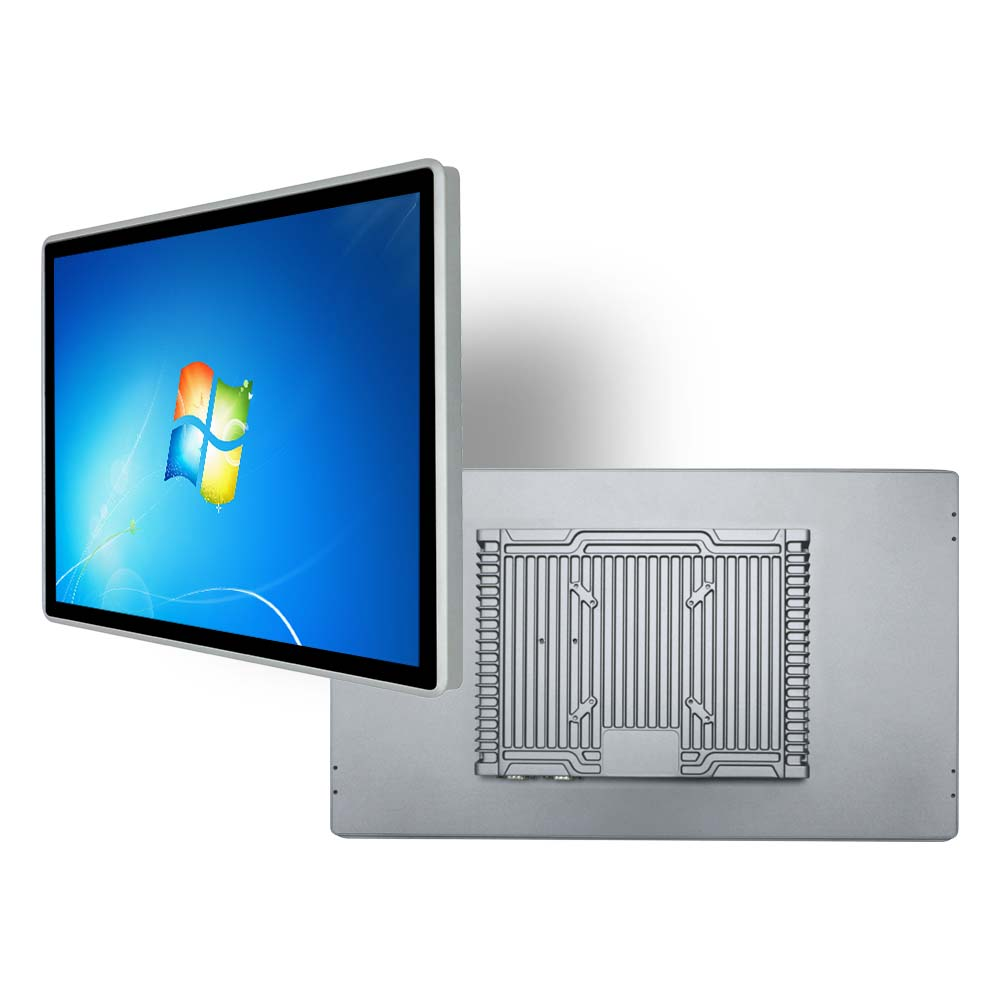
Retail kiosks have evolved from simple payment stations to versatile customer experience hubs, powering self-checkout, product information lookup, loyalty program management, and in-store ordering across retail spaces. At the heart of every reliable retail kiosk is a high-quality panel PC—its performance, durability, and functionality directly determine the kiosk’s usability, uptime, and ability to meet the fast-paced demands of retail environments. Unlike industrial panel PCs built for factory floors, a panel PC for retail kiosks must balance ruggedness with user-centric design, seamless connectivity, and adaptability to high-traffic customer use. Choosing the wrong panel PC can lead to frequent downtime, poor customer experience, and increased maintenance costs. To help retailers make the optimal choice, this guide breaks down the critical factors to evaluate when selecting a panel PC for retail kiosks, from display and touch features to hardware performance and environmental resilience.
Prioritize User-Centric Display and Touch Capabilities
The display and touch interface are the primary points of interaction between customers and retail kiosks, making them non-negotiable considerations for a panel PC. For retail use, opt for a panel PC with a bright, high-resolution display (1080p or higher) with anti-glare coating—this ensures visibility even in well-lit retail spaces with overhead lighting or natural sunlight, eliminating screen reflections that frustrate users. Screen size should align with the kiosk’s purpose: compact 10.1-inch panel PCs work well for small self-service payment kiosks, while 15–21.5-inch panels are ideal for interactive product browsing or in-store ordering kiosks that require more screen real estate for images and menus.
Equally important is the touch technology—capacitive multi-touch screens are the gold standard for retail kiosks, offering fast, precise response and supporting gestures like pinching and swiping that modern consumers expect. The touch surface should be scratch-resistant and easy to clean, as retail kiosks see constant use from multiple customers daily; a smudge-proof, water-resistant touch screen reduces maintenance and keeps the kiosk looking professional. For added convenience, ensure the touch response is calibrated to work with both bare hands and light gloves, catering to all customer needs.
Select Hardware for Reliable 24/7 Retail Operation
Retail environments demand consistent performance, with many kiosks operating 12+ hours a day or even 24/7 for grocery and convenience stores. A panel PC for retail kiosks must feature hardware that balances efficiency and reliability, with no compromise on uptime. Start with the processor: mid-range Intel processors (such as J-series or Core i3/i5) are ideal, delivering enough computing power for multi-tasking—running payment processing software, inventory databases, and customer-facing UIs simultaneously—without excessive power consumption. Fanless design is a must for retail panel PCs: it eliminates moving parts, preventing dust buildup (a common issue in busy retail spaces) and reducing hardware failure points, while also operating silently to avoid disrupting the in-store atmosphere.
Additionally, prioritize a panel PC with stable power delivery (e.g., DC 12V) to guard against voltage fluctuations common in retail power grids, which can cause sudden system shutdowns. Look for models with expandable storage and RAM (removable SSD/RAM is a plus), allowing retailers to upgrade the panel PC as their software needs grow—such as adding new loyalty program features or integrating with new POS systems—without full hardware replacement.
Evaluate Connectivity and Compatibility
Retail kiosks do not operate in isolation; they must integrate seamlessly with a store’s existing tech stack, including POS systems, inventory management software, Wi-Fi, and payment terminals. A panel PC for retail kiosks needs a comprehensive set of industrial-grade ports to support this connectivity: multiple LAN ports for wired internet (more reliable than Wi-Fi for payment processing), USB ports for connecting card readers and receipt printers, and COM ports for legacy retail hardware integration. Wireless connectivity (Wi-Fi 6, Bluetooth) is also essential for wireless peripherals and real-time data sync with the store’s central system.
Ensure the panel PC is compatible with the retail software ecosystem—it should support Windows, Linux, or other common operating systems used for retail kiosk software, with no compatibility issues for payment processing and POS integrations. Pre-loaded drivers and easy software installation further streamline setup, reducing the time and effort needed to get the kiosk up and running.
Choose Ruggedness and Low-Maintenance Design
While retail spaces are less harsh than industrial factories, retail kiosks face unique wear and tear: constant customer contact, accidental bumps, and exposure to dust and spills. A panel PC for retail kiosks needs a ruggedized chassis with a durable outer casing to resist minor impacts and scratches. The build should be sealed to prevent dust and liquid from entering the internal components, meeting basic IP rating standards for dust and splash resistance—this minimizes the risk of hardware damage and reduces cleaning and maintenance work for retail staff.
Low-maintenance features extend beyond the physical build: look for a panel PC with auto-restart functionality and remote monitoring capabilities, allowing IT teams to troubleshoot and update the system remotely without on-site visits. This is a game-changer for multi-location retail brands, cutting down on maintenance costs and minimizing kiosk downtime.
Align with Scalability and Budget
Finally, select a panel PC that aligns with your retail business’s scalability and budget needs. Entry-level panel PCs work well for small retailers with a single kiosk, while mid-to-high-end models with high-performance processors and expandable features are better for large retail chains with multiple kiosks and growing software demands. Avoid overpaying for industrial-grade features that are unnecessary for retail (e.g., extreme vibration resistance), but do not skimp on core features like fanless design, reliable touch screens, and seamless connectivity—these are investments in long-term kiosk performance and customer experience.
In conclusion, picking the right panel PC for retail kiosks boils down to aligning the device’s features with the unique demands of retail environments: user-centric touch and display, reliable fanless hardware, seamless connectivity, rugged low-maintenance design, and scalable performance. By evaluating these factors carefully, retailers can select a panel PC that powers a smooth, intuitive kiosk experience for customers, reduces operational downtime, and delivers long-term value for their retail business.