 EN
EN

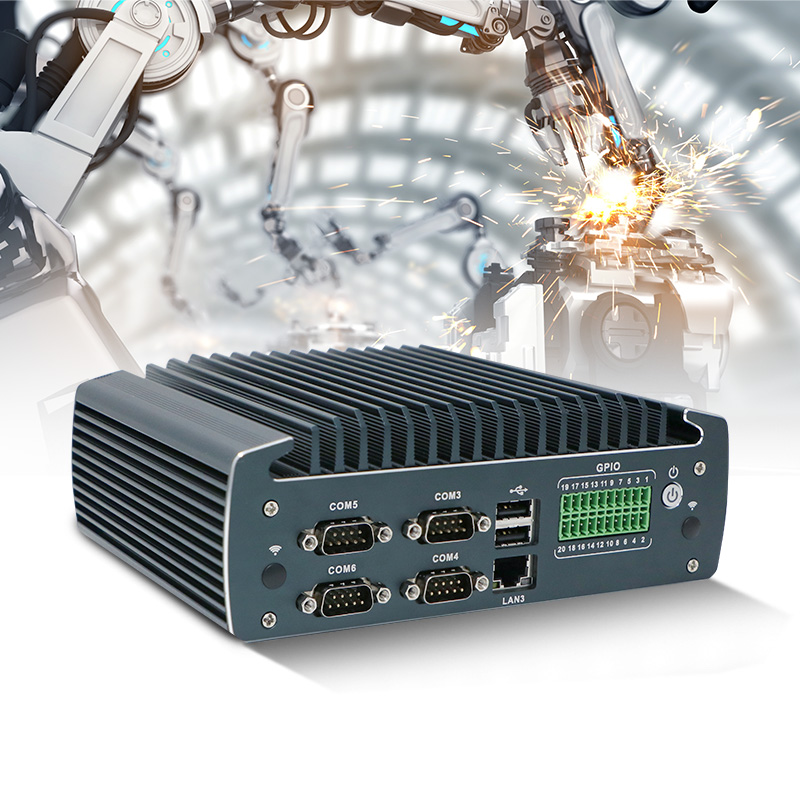
The industrial panel PC market sat around USD 5.03 billion in 2025 and is projected to reach USD 7.35 billion by 2032, expanding at a CAGR of roughly 5.55%. That growth isn't driven by novelty. It's driven by the fact that more machines are being connected, more processes are being digitized, and the interface between human operators and automated systems has to survive conditions that would destroy a consumer tablet in a week.
An industrial touch screen computer is not simply a ruggedized tablet. It's a sealed computing platform designed to run continuously in environments with dust, moisture, vibration, temperature swings, and electrical noise. The use cases below span industries, but they share a common thread: the hardware has to be dependable when the cost of downtime is measured in production hours, not convenience.
Factory Floors Where Consumer Hardware Doesn't Last
Walk through any modern production facility and you'll see panel-mounted touchscreen terminals at nearly every workstation. On a CNC machining line, the operator uses the screen to load part programs, adjust offsets, and monitor tool wear. On a packaging line, the same interface handles recipe selection, line speed adjustments, and fault acknowledgment. Injection molding operations use them for cycle parameter control and quality logging.
The physical demands are severe. Machine vibration travels through the mounting structure and into the panel. Coolant mist settles on surfaces. Metal chips find their way into every crevice. A projected capacitive touchscreen with a hardened glass surface handles this far better than a consumer display, but the real difference is in the sealing. A front panel rated IP65 means the unit is dust-tight and protected against water jets from any direction, which is the baseline for most factory floor deployments.
Beyond the physical durability, the thermal design matters more than most buyers initially appreciate. Panel PCs mounted inside sealed electrical cabinets or on machine frames often see ambient temperatures well above what a consumer device would tolerate. Fanless designs with conduction cooling through the chassis are the norm for a reason: fans pull in contaminants and eventually fail, and a failed fan in a sealed enclosure turns into a thermal shutdown.
Food Processing and Washdown Zones
Food and beverage production adds a dimension that most other industries don't face. The equipment has to be cleaned, and cleaning means water, often at high pressure and sometimes at elevated temperature.
A standard IP65 panel PC handles low-pressure spray from a nozzle, but it won't survive the kind of washdown that happens on a meat processing line or a dairy filling station. That's where IP66 and IP69K ratings come in. IP69K specifically covers protection against close-range high-pressure water at elevated temperatures, which is the standard for hygienic production areas. Stainless steel enclosures are common in these settings because they resist corrosion from both cleaning chemicals and the organic acids present in food products.
The touch interface itself also needs adjustment. Gloved hands, wet surfaces, and the presence of condensation on the screen all degrade the performance of a standard capacitive touch panel. Some manufacturers use resistive touch technology in these environments because it responds to pressure rather than capacitance, which means it works with gloves and through a layer of water. Others use capacitive panels with firmware tuned for glove operation. Neither approach is universally better. It depends on the specific cleaning regime, the type of gloves used, and whether the screen is likely to be wet during operation.
Medical and Laboratory Equipment Interfaces
Diagnostic equipment and laboratory automation systems use touchscreen computers for a different set of reasons. Cleanliness matters, but so does traceability. Every interaction with the system, whether it's loading a sample, adjusting a protocol, or acknowledging a result, needs to be logged.
A benchtop analyzer in a clinical lab might sit on a cart that gets wheeled between rooms. The panel PC on that cart has to survive being bumped into doorframes, exposed to disinfectant wipes, and run continuously for shifts that stretch well beyond eight hours. The interface needs to be simple enough that a technician can operate it without extensive training, but detailed enough to surface the data that matters.
One challenge that comes up in medical environments is electromagnetic compatibility. A touchscreen computer operating near imaging equipment or electrosurgical devices can experience interference that causes erratic touch response or, in worse cases, system resets. Screening, grounding, and power filtering decisions made during design determine whether a unit performs reliably in that environment. A device that passes basic EMC testing in a lab may still fail when it's sitting next to a CT scanner. The testing conditions matter as much as the certification mark.
Transportation, Logistics, and Vehicle Mount Terminals
Warehouses and distribution centers run on real-time data, and the interface between the warehouse management system and the physical operation is often a touchscreen terminal mounted on a forklift or a fixed workstation at a dock door.
Vehicle-mounted terminals face a specific combination of stressors. Vibration from the vehicle is constant. Temperature swings between a heated warehouse and a cold loading dock happen dozens of times per shift. The screen gets hit with pallet wrap, boxes, and occasionally a forklift tine. These units typically need wide voltage input ranges because vehicle electrical systems are notoriously dirty, with voltage spikes and sags that would fry a consumer power supply.
Fixed terminals at receiving and shipping stations have different demands. They often need larger displays, sometimes 15 inches or more, because operators are reading pick lists, verifying shipments, and updating inventory records. The mounting is usually a panel cutout or a VESA arm, and the interface needs to be responsive enough that a warehouse worker moving at pace doesn't have to wait for the screen to register a tap.
The table below compares the environmental demands across these deployment scenarios.
| Deployment Scenario | Typical IP Rating | Touch Technology | Key Environmental Stressor |
|---|---|---|---|
| Factory floor HMI | IP65 (front) | Projected capacitive | Vibration, coolant mist, dust |
| Food processing washdown | IP66 to IP69K | Resistive or glove-tuned capacitive | High-pressure water, cleaning chemicals |
| Medical cart or benchtop | IP54 to IP65 | Projected capacitive | Disinfectants, EMC interference |
| Vehicle-mounted terminal | IP65 to IP67 | Resistive or capacitive | Vibration, voltage transients, temperature swings |
| Outdoor kiosk | IP65 to IP67 | Projected capacitive | UV exposure, rain, temperature extremes |
Energy, Utilities, and Outdoor Installations
Substations, water treatment plants, solar farms, and pipeline monitoring stations all rely on operator interfaces that sit in unconditioned environments. A pump station control panel might be in a concrete building with no HVAC, where summer temperatures inside the enclosure climb past 50°C and winter temperatures drop below freezing.
The display technology becomes a critical decision point in these settings. Standard LCD panels lose contrast and response time at temperature extremes. Industrial-grade displays with extended temperature ranges and heaters for cold-start conditions are necessary for installations that need to function year-round. The backlight also matters. A display that's readable indoors becomes unreadable in direct sunlight without high brightness and anti-glare treatments.
Outdoor kiosks and self-service terminals face the additional challenge of public interaction. The screen has to withstand vandalism attempts, the enclosure has to keep rain out, and the internal components have to manage heat buildup from solar gain. A kiosk in Phoenix and a kiosk in Seattle have very different thermal profiles, and a design that works in one may fail in the other. This is one area where customization isn't a luxury. It's a requirement.
A Deployment That Revealed the Gap Between Spec Sheets and Reality
An electronics contract manufacturer was building out an automated testing line with multiple stations, each requiring a touchscreen interface for operators to monitor test results and intervene when a unit failed. The initial specification called for standard industrial monitors with a 24V DC power input and a panel-mount design. Everything looked fine on paper.
The first units installed ran into trouble within weeks. The testing stations nearest to a bank of servo-driven robotic arms experienced intermittent touch failures. The screens would register phantom touches or stop responding entirely for several seconds. The monitors were within their rated temperature and vibration specifications. The problem was electrical noise. The servo drives were injecting high-frequency noise onto the 24V DC bus, and the monitor's power input filtering wasn't adequate to reject it.
The fix involved adding external filtering and, in some cases, rerouting the power distribution to separate the monitors from the servo drives. It was a solvable problem, but it cost time and money that would have been avoided if the original specification had accounted for the electrical environment, not just the mechanical and thermal conditions.
This kind of gap between what a datasheet promises and what a deployment actually requires is where experienced manufacturers earn their keep. Shenzhen Xin Saike Technology, known as XSK, has been building industrial computing hardware for over two decades from a manufacturing base in Dongguan that spans more than 5,000 square meters. The product range covers mini industrial PCs, embedded systems, industrial panel PCs, and network security platforms, with certifications including CCC, CE, FCC, RoHS, and TUV. For teams that need custom configurations without committing to consumer-scale volumes, the OEM and ODM services and low minimum order quantities are worth a conversation. The difference between a panel PC that works in a lab and one that works on a production floor often comes down to whether the manufacturer has seen enough real deployments to anticipate the problems that don't show up in a datasheet.