 EN
EN

The global market for industrial touch panel computers was estimated at roughly USD 2.48 billion in 2025 and is projected to approach USD 3.81 billion by 2032, growing at a compound annual rate of about 6.4%. That number reflects something beyond steady demand. It points to a structural shift in how industrial operations handle the human side of automation.
Consider the old setup on a typical production line. A control cabinet sits in a corner with a PLC inside. An operator walks over to check a gauge, writes a reading on a clipboard, then walks back to the machine to make an adjustment. Data lives in three places: the machine, the paper, and the operator's memory. By the time anyone sees a trend, the trend is already a problem.
An industrial touch panel PC collapses that workflow. The interface sits at the point of action. The operator sees the reading, adjusts the parameter, and the change logs automatically. One screen replaces a clipboard, a gauge, and a walk across the floor. That's not a marginal improvement. It's a different way of working.
Operators Actually Use the Interface When It's Built Right
The single biggest determinant of whether a digital interface gets adopted on a factory floor is whether operators trust it. Resistance to new technology on the production floor usually has nothing to do with fear of computers. It comes from past experiences with systems that were slow, unresponsive, or required a sequence of taps that made a simple task take longer than the manual method.
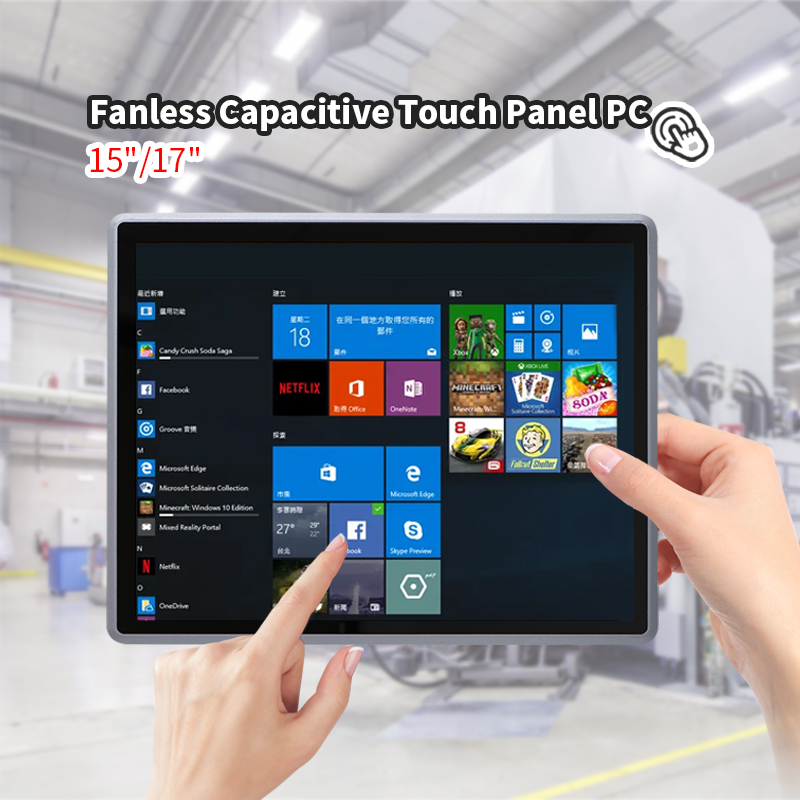
A projected capacitive touch panel changes that dynamic when it's implemented properly. The touch response is immediate, the interface responds to bare fingers and, with the right firmware tuning, to gloved hands. Operators on a packaging line wearing nitrile gloves can acknowledge a fault with one tap instead of walking to a cabinet and opening a door.
The display size matters more than most procurement checklists suggest. A 10-inch panel mounted at eye level on a machine frame is readable at arm's length. A 15-inch panel on a control desk allows for more information density without crowding. Screen sizes in industrial panel PCs typically range from about 7 inches to 27 inches, with the middle range of 10 to 15 inches covering most operator station needs. The wrong size creates either a postage stamp that requires squinting or a billboard that dominates a workstation without adding usable information.
When the Environment Dictates the Hardware Specs
There's a reason industrial panel PCs look overbuilt compared to a consumer all-in-one. The environment demands it.
Dust is the first enemy. In woodworking shops, grain processing, and metal fabrication, fine particulate settles on every horizontal surface. A fan-cooled computer pulls that particulate through its chassis and deposits it on heatsinks and circuit boards. Over months, the thermal path degrades and the system starts throttling or shutting down. Fanless designs eliminate that failure mode entirely by relying on conduction through the chassis.
Moisture adds another layer. A food processing plant that does washdown cleaning between shifts needs equipment that can handle high-pressure water. The IP rating system gives buyers a way to match the device to the cleaning regime. IP65 means dust-tight and protected against low-pressure water jets. IP66 steps up to powerful jets. IP69K covers high-pressure, high-temperature washdown. Choosing a panel PC with the wrong IP rating for the cleaning procedure in use is one of those mistakes that only becomes obvious after a unit fails.
Temperature swings matter too. A system mounted inside an unheated warehouse in a cold climate needs to start reliably at temperatures well below freezing. A unit on a foundry floor needs to keep running when ambient temperatures climb past what a consumer device would tolerate. Wide-temperature designs are not a marketing feature. They're a requirement that determines whether a deployment works in January and August.
Integration Depth Separates a Terminal from a Tool
The value of an industrial touch panel PC goes beyond the screen. It's the connectivity that lets it serve as a real node in the control architecture.
A well-equipped panel PC typically brings multiple serial ports, Ethernet interfaces, and digital I/O. In a machine control application, the serial ports connect to the PLC or motion controller. The Ethernet port ties into the plant network for data reporting. Digital inputs might read a sensor that confirms a part is in position before the operator initiates a cycle. This integration depth means the panel PC can replace several discrete components: the old HMI terminal, a separate data logger, and the communication gateway.
The table below compares how integration capabilities differ between a basic display terminal and a properly configured panel PC.
| Capability | Basic Display Terminal | Integrated Panel PC |
|---|---|---|
| Serial ports (RS232/485) | 0-1 | 2-6 typical |
| Ethernet | 1 | 2 with teaming support |
| Digital I/O | None | GPIO for sensors and relays |
| Local data storage | None | M.2 SSD, configurable |
| Edge processing | Limited | Full CPU, up to 32GB RAM |
| Network protocols | Display link only | Modbus, OPC UA, MQTT |
That last row is where the real leverage sits. A display terminal shows what another device tells it to show. A panel PC running an edge application can preprocess data, filter out noise, and send only meaningful events upstream. In a plant with hundreds of sensors, that filtering reduces network traffic and makes the data that does arrive more actionable.
Edge Computing Moves the Intelligence to the Point of Use
The shift toward edge computing is one of the forces reshaping what industrial panel PCs are expected to do. Instead of sending every data point to a central server and waiting for a response, the panel PC handles decisions locally.
Think about a vision inspection station. A camera captures an image of each part as it moves down a conveyor. The panel PC runs the inspection algorithm, compares the result against a tolerance, and signals a reject mechanism if the part fails. All of that happens in milliseconds, without a round trip to a server room. The latency difference between local processing and a network round trip is the difference between catching a defect on the line and catching it after a batch has already shipped.
This local processing capability doesn't replace the central system. It changes what the central system receives. Instead of a continuous stream of raw data points, the server gets summarized results, exception events, and trend data at a lower frequency. That's a more efficient use of both the network and the human attention that monitors it.
There's a limitation worth acknowledging. Running heavy analytics or AI inference on a panel PC requires careful attention to thermal design and processing headroom. A fanless unit has a finite thermal budget. Pushing a processor to its limits in a sealed enclosure without adequate thermal path design leads to throttling and inconsistent performance. Matching the processing load to the thermal capability is part of the engineering, not an afterthought.
A Deployment Where the Interface Changed the Workflow
An automotive parts supplier was upgrading a machining cell that ran three shifts a day. The existing setup used a push-button panel for cycle control and a separate data collection box that logged production counts. Setup changes required an operator to pull up a paper sheet, manually enter new parameters through a keypad interface, and verify the changes on a separate readout.
The replacement was a panel PC mounted on an articulating arm at the machine. The interface displayed the current part program, the cycle parameters, and a live count of parts produced against the shift target. When a setup change was needed, the operator selected the new part number from a list, and the panel PC sent the parameter set to the controller over a serial link.
The change that mattered most wasn't the hardware swap. It was what happened during a tool change. Previously, the operator would stop the machine, walk to the data box, write down the tool change time, and restart. With the panel PC, the tool change event was logged automatically when the operator touched the screen to acknowledge it. Over a month, the accumulated tool change data revealed that one of the three shifts was consistently taking longer on the same tool changes. That observation led to a review of the tooling setup procedure for that shift, and the gap closed within weeks. The panel PC didn't fix the problem. It made the problem visible.
Shenzhen Xin Saike Technology, known as XSK, has been manufacturing industrial computing hardware since 2007, with a production base in Dongguan spanning over 5,000 square meters. The product range covers mini industrial PCs, embedded systems, industrial panel PCs, and network security platforms, backed by certifications including CCC, CE, FCC, RoHS, and TUV. For teams that need panel PCs configured for specific I/O requirements or environmental conditions without committing to large volumes, the OEM and ODM services and low minimum order quantities are worth considering. The hardware that survives on a factory floor is rarely the cheapest option. It's the one where the manufacturing process behind it was designed with the deployment environment in mind.